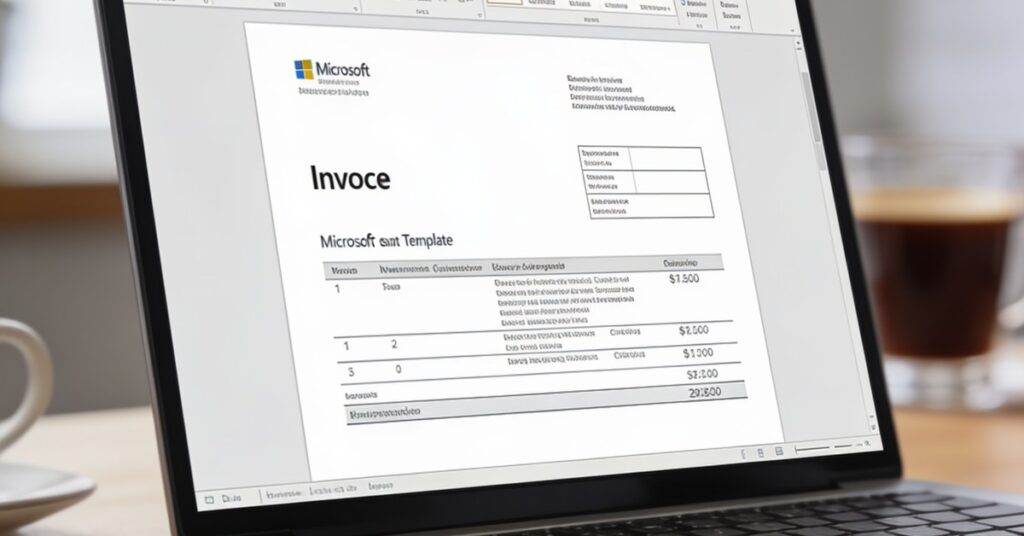
Mastering the correct FORMAT INVOICE WORD is a fundamental skill for maintaining financial precision and professional credibility in any business environment. In this guide, you will learn how to structure your billing documentation to meet industry standards, ensure tax compliance, and streamline your administrative workflow with reusable templates. By following these expert-led steps, you can confidently prepare professional invoices that protect your brand and facilitate timely payments from your clients.
To create a professional FORMAT INVOICE WORD in Microsoft Word, start by opening the application, selecting „File” then „New,” and typing „invoice” into the search field to access built-in templates. Ensure your document includes essential identifiers such as a unique invoice number, the seller’s business name and contact details, and clear itemised billing. A high-quality invoice acts as a primary communication tool with your client, so maintaining a clean, professional aesthetic is vital for your brand’s reputation and long-term customer relations.
Essential Components for a Professional Business Invoice Template
Every professional invoice must include specific data points to remain legally compliant and transparent for your records. Does this sound familiar to your current business situation, where a missing detail leads to payment delays?
- Document Title: Clearly labelled as „INVOICE”.
- Unique Identification: A sequential invoice number for audit trails.
- Parties Involved: Full contact details for both seller and buyer.
- Financial Data: Itemised breakdown including VAT (if applicable) and grand totals.
- Terms: Clearly stated payment methods and credit terms (e.g., Net 30).
Building Your Own Design Using Invoice Templates for Word
Designing a custom FORMAT INVOICE WORD from scratch requires attention to layout and typography to ensure readability and professionalism. Use standard, clear fonts like Arial or Calibri for the „INVOICE” title and body text, and set your document margins to 0.5 inches on all sides to provide a balanced look.
In my years of running a business, I have learned that a messy layout is the fastest way to lose a client’s trust. Always set your logo wrapping to „In Front of Text” and use the Table feature to align your data columns. From my experience, keeping text left-aligned and currency values right-aligned makes the document much easier for a client to process during their own Self Assessment or accounting review.
Effective Template Management for Secure Billing
Saving your invoice as a reusable template significantly reduces administrative time and ensures consistency across your billing cycle. Follow these steps to lock in your professional design:
- Navigate to „File > Save As” and select „Word Template (*.dotx)”.
- Save the file in your „Documents > Custom Office Templates” folder.
- Use the .dotm extension if you need to enable macros for automated calculations.
- Access your saved work via the „Personal” or „Custom” tab in „File > New”.
Selecting the Best Free Word Invoice and Excel Invoice Templates
You can choose between built-in Word options or third-party resources depending on your specific brand needs. The following table compares common template sources to help you decide:
| Source | Best For | Complexity |
|---|---|---|
| Word Built-in | Quick, standard billing | Low |
| Vertex42 | Basic, data-driven layouts | Medium |
| FreshBooks/Billdu | Professional, branded look | Medium/High |
Converting and Exporting Invoices to Secure PDF
Finalising your invoice as a PDF is the industry standard for ensuring that your document remains secure and formatted correctly for the client. Use „File > Save As” or „File > Export” within Microsoft Word and select „PDF” from the available list. If you are working in Word for the Web, the „Save As” function also supports PDF conversion, which is essential for maintaining the integrity of your business records.
Professional Formatting Tips for Success
Maintaining a professional standard in your billing documentation reinforces your expertise and commitment to quality customer service. Beyond the visual design, ensure that your calculations are flawless by using the „Layout” tab to apply table formulas that auto-calculate your totals based on the „Description,” „Quantity,” „Rate,” and „Amount” columns.
Important: Always double-check your final PDF before sending, as a single typo in a bank account number or total can cause significant friction in your customer relationships.
Frequently Asked Questions
Can I use an online invoice generator instead of Word?
Yes, you can use an online invoice generator if you require automated cloud-based tracking and instant payment processing. However, Word templates remain superior for businesses that prefer full control over their document branding and offline storage.
Is it better to use Microsoft Excel or Word for my billing?
Microsoft Excel is better suited for complex calculations and inventory tracking, whereas Word is ideal for creating polished, text-heavy documents that look like formal business letters. Many professionals use a hybrid approach, using Excel for data tables and Word for the final client-facing document.
How do I handle international clients in my invoice template?
You should include the client’s international bank details, such as IBAN and SWIFT/BIC codes, directly on the invoice to ensure seamless cross-border payments. Additionally, clarify the currency being used to avoid any confusion regarding exchange rates.
What should I do if a client disputes an item description?
Always maintain a detailed description of services in your invoice to prevent disputes before they occur. If a query arises, refer back to your original contract or scope of work document to provide clarity and maintain professional rapport.
Adopting a standardised template will save you countless hours of administrative work while ensuring your billing remains consistently professional. Always remember to save your master file as a .dotx template to keep your workflow efficient and error-free every time you bill a client.