Mastering the Statement of Account is a fundamental pillar of robust financial management, ensuring your business maintains healthy cash flow and ironclad tax compliance. In this guide, you will learn how to accurately interpret these documents, reconcile your ledgers with supplier records, and proactively resolve common accounting errors. By following these professional best practices, you will be fully prepared to maintain transparency in your commercial relationships and strengthen your overall financial oversight.
Statement of account
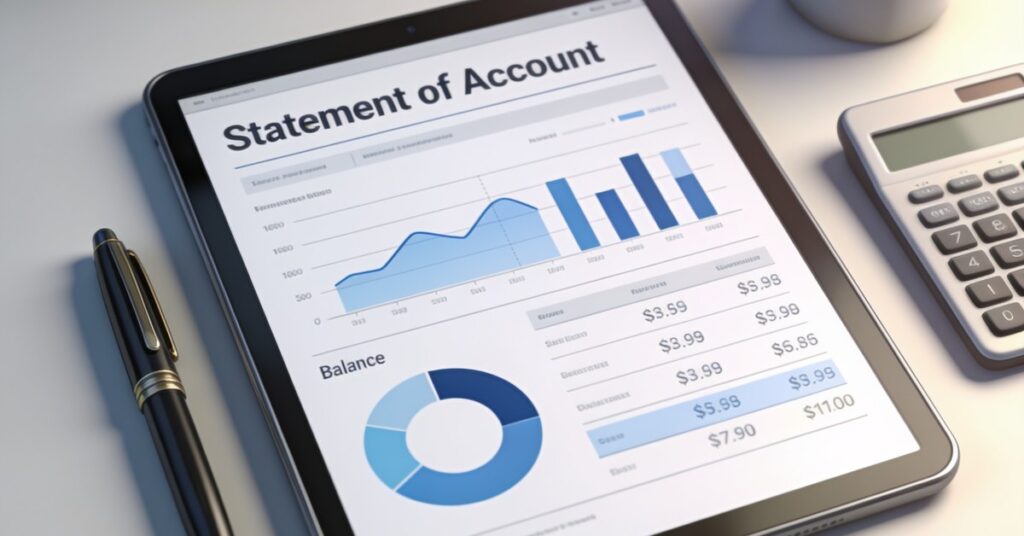
A statement of account serves as a comprehensive financial document that outlines all invoices, processed payments, and the outstanding balance accumulated within a designated timeframe. This summary is essential for both commercial entities and their clients, as it facilitates the monitoring of billing history, validation of historical transactions, and the identification of any remaining debt.
Defining the Financial Summary
At its core, a statement of account acts as a formal record capturing every transaction conducted between a business and a particular customer. It provides a clear overview, often referred to as an account statement, which consolidates financial activity to ensure transparency and accuracy for both parties involved in the exchange.
Components of an Account Statement
To accurately reflect financial standing, these documents typically include several vital sections:
- Header Information: Includes specific details such as the names and addresses of both parties, unique account identifiers, and the exact period covered by the report.
- Opening Balance: Represents the financial figure brought forward from the preceding accounting cycle.
- Transaction Logs: A detailed list featuring chronological dates, descriptions, and monetary values for all relevant charges, issued invoices, and settled payments.
- Closing Balance: Denotes the definitive total sum due or the remaining credit balance at the conclusion of the specified term.
The Significance of Account Statements
Regularly reviewing account statements is crucial for maintaining healthy financial operations. These documents serve several strategic functions:
- Payment Correspondence: Vendors frequently distribute these summaries to clients as gentle reminders of invoices that have become overdue or remain unpaid.
- Reconciliation: Both the buyer and the seller use these statements to verify that their individual internal ledgers correspond with the records maintained by the other party.
- Financial Monitoring: Widely utilised in banking and credit services, these reports assist in tracking individual or corporate spending patterns and checking the availability of funds.
Summary of Key Insights
Ultimately, an account statement functions as a periodic digest of all account-related activity. By documenting every transaction, applied fee, and balance fluctuation, it remains an indispensable tool for sound financial management and clarity in business relationships.
Understanding the Statement of Account and Customer Statement Definition
A Statement of Account, also known as a Customer Statement or account statement, is a formal document issued by a seller to a buyer that serves as a periodic summary of their ongoing financial relationship. It typically covers a specific, defined date range—such as a monthly, quarterly, or annual period—to provide a high-level view of all transactions between the two parties. By consolidating contact information for both the seller and the buyer alongside a chronological list of invoices, payments, and credit notes, it serves as the ultimate record of the final outstanding Balance or total amount owed at the end of a given timeframe.
The strategic importance of this document cannot be overstated in modern business operations, as it effectively tracks all past invoices, payments, and credits to ensure both parties remain aligned. Does this sound familiar to your current business situation, where invoices seem to vanish into the ether? It serves as a vital tool for identifying outstanding amounts, acting as a gentle yet formal reminder for overdue bills. Leveraging accounting software like QuickBooks or FreshBooks for the speedy distribution of these statements is a hallmark of professional customer service, ensuring that your financial communication remains consistent and reliable.
Distinguishing Types of Account Statements from a Standard Invoice
The primary difference between a Statement of Account and an Invoice lies in their function: invoices are specific transactional requests for payment, whereas these documents are periodic summaries designed to drive reconciliation. To keep your records straight, refer to the comparison below:
| Feature | Invoice | Statement of Account |
|---|---|---|
| Purpose | Request for payment | Summary of activity |
| Frequency | Per transaction | Monthly/Quarterly |
| Level of Detail | High (items, tax, units) | Low (references, totals) |
An Invoice is issued immediately after goods or services are delivered, listing item names, quantities, individual prices, and taxes to trigger the payment processing for a specific transaction. In contrast, a Statement of Account is issued periodically—typically on a monthly or quarterly basis—to provide a comprehensive overview of all activity, rather than a demand for a single payment. When you examine an Invoice, you will find a unique number, a specific date of issue, and defined payment terms tailored to that single exchange. Conversely, a Statement of Account acts as a ledger summary, listing dates, reference numbers, debits, credits, and the grand total of the account. It includes an opening Balance and an ending Balance, offering a holistic view of the financial status rather than focusing on the granular item-level details found on a tax document.
How to Effectively Read and Analyse Your Account Statement
To read a Statement of Account effectively, you must first verify the header details, which contain the company names, registered addresses, and the specific account ID associated with your business. Once the identity is confirmed, follow this checklist to ensure you haven’t missed a beat:
- Confirm the date range matches your current accounting period.
- Check the opening Balance against your last month’s closing figure.
- Cross-reference every listed reference number with your own purchase orders.
- Flag any „unknown charges” immediately before they become a headache.
Once you have vetted the charges, verify all payments made and credit notes applied against your own purchase orders and payment history. At the bottom of the document, identify the final total amount due, known as the closing Balance, to understand your current liability. It is a best practice to compare every listed reference number and amount against your internal purchase orders to ensure accuracy; if you find any discrepancies, such as missing credits or unknown charges, you must report these findings to the issuer immediately to maintain the integrity of your accounts payable.
Best Practices to Reconcile and Send a Statement of Account
Reconciling a Statement of Account involves confirming that the starting Balance on the current statement matches the ending Balance of your last reconciliation to ensure a seamless transition of financial data. From my experience, don’t let these reconciliations pile up; spending ten minutes a week on this is infinitely better than spending two days at month-end hunting for a missing tenner. Use professional tools to maintain your sanity and accuracy:
- Use FreeAgent to upload bank statements for automated matching.
- Utilise Xero to set up bank rules that categorise recurring transactions automatically.
- Subtract outstanding payments or cheques that have not yet cleared.
- Record any missed bank charges or interest directly into your ledger.
You must verify that the opening book Balance in your internal system matches the opening statement Balance provided by your supplier. From there, you should add any deposits in transit to the statement Balance and subtract any outstanding payments or cheques that have not yet cleared, ensuring your records reflect the true position of your cash flow. If you need to send a Statement of Account to a client, ensure all data is verified for accuracy to avoid professional embarrassment. For businesses operating at scale, manual reconciliation is often inefficient; therefore, using professional accounting software allows you to upload bank statements directly for automated matching, significantly reducing the manual effort required to keep your accounts in perfect harmony with your suppliers.
Resolving Common Discrepancies and Accounting Errors
Addressing errors in a Statement of Account requires a systematic approach to identifying the root cause, starting with the most frequent issues like transposition errors. Use this troubleshooting guide to keep your books balanced:
| Error Type | Common Symptom | Fixing Strategy |
|---|---|---|
| Transposition | Swapped digits (56 vs 65) | Calculate variance and journal entry |
| Omission | Missing transaction | Record immediately in ledger |
| Duplicate | Double entry | Reverse via contra credit/debit |
Important / Remember: Always ensure that your errors of principle—such as misclassifying a capital asset as a standard expense—are corrected before you finalise your Self Assessment or annual accounts, as these can significantly impact your tax liability. Other common issues include the error of omission, where an invoice or payment is missed entirely; this is resolved by recording the missing transaction in the correct ledger account immediately to restore the accuracy of the Balance. Duplicate entries, where the same bill or receipt is recorded twice, must be reversed via a contra credit or debit to ensure your totals are not artificially inflated. Misapplied payments, which occur when a payment is credited to the wrong customer or account, require you to transfer the credit from the incorrect account to the correct ledger to resolve the discrepancy.
Procedural Guidance: How to Send a Statement and Request Documents
To request a Statement of Account from a supplier, you should send a formal request directly to their accounts receivable or billing department, ensuring you include your company name, account number, and the specific date range required. If you are using Sage Accounting, you can produce these reports yourself by following these steps:
- Navigate to 'Contacts’ and select 'Suppliers’.
- Select 'Manage’ then 'Statements’ to access settings.
- Enter the end date in the 'To’ box and select 'Calculate’.
- Export to CSV or Print to PDF for your records.
If you do not receive a reply within two to three business days, it is professional practice to follow up with a phone call to ensure your request has been processed. Clear communication at this stage prevents delays in your end-of-month reconciliation process and helps you maintain good standing with your vendors. Once calculated within your software, you can easily distribute these documents, ensuring that your financial relationships remain transparent and efficient.
Frequently Asked Questions
Is a Statement of Account the same as a Balance Sheet?
No, a Statement of Account and a Balance Sheet are entirely different documents. A Balance Sheet represents your company’s total assets and liabilities at a specific point in time, whereas a Statement of Account is simply a transactional history between two parties.
How often should I send a Statement of Account?
Statements are typically issued on a monthly or quarterly basis, depending on your business’s credit terms and the volume of transactions you share with a specific client. Regular issuance ensures that both parties stay informed about the outstanding Balance.
Can I automate the process to send a statement?
Yes, most modern accounting software allows you to automate the generation and distribution of statements, which ensures that your clients receive their updates consistently and professionally. This automation reduces human error and maintains a steady flow of communication.
What should I do if the final Balance on the statement is incorrect?
If the final Balance appears incorrect, you should immediately contact the supplier’s accounts department, provide evidence such as payment receipts or copies of original invoices, and request a revised statement once the error in the account has been rectified. Prompt resolution is key to maintaining healthy business relationships.
Establishing a rigorous reconciliation process using automated software will prevent minor discrepancies from ballooning into costly financial errors. Treat your Statement of Account as a vital tool for building trust with your partners, ensuring your financial records remain accurate and stress-free.